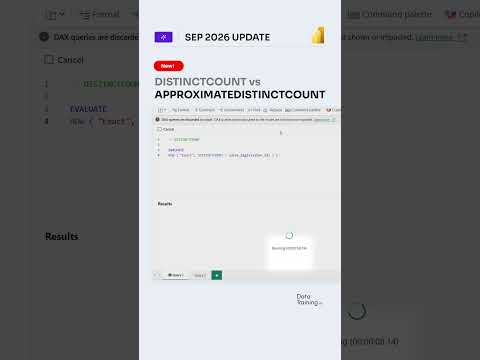
Power BI DISTINCTCOUNT vs. approximate counting
How to Power BI revisits two DAX counting functions, highlighting the trade-off between exact results and estimates for large datasets.
Key insights
- DISTINCTCOUNT returns an exact count of distinct, non-blank values in the current filter context.
- APPROXIMATEDISTINCTCOUNT returns an estimate intended to reduce calculation costs on very large datasets.
- The approximate function is not automatically faster; performance depends on factors such as cardinality and storage mode.
- Exact counts remain relevant when reports require precise figures, including reconciliation and regulatory metrics.
How to Power BI recently published a 15-second Short titled “The Secret: DISTINCTCOUNT vs APPROXIMATEDISTINCTCOUNT.” The published description contains no transcript or explanation, so the title identifies the comparison but does not establish what the clip demonstrates. The practical distinction is exactness versus an estimate: choosing between the two depends on the data and how precise the result needs to be.
What's new
The Short brings attention to two DAX functions used to count unique values in Power BI. DISTINCTCOUNT returns the exact number of distinct, non-blank values within the current filter context. APPROXIMATEDISTINCTCOUNT returns an estimated count and is intended to reduce the cost of calculations on very large datasets.
These functions answer a similar question, but their results are not interchangeable where exactness matters. The research notes describe the approximate function as potentially useful for high-cardinality columns, where many values are unique. They also caution that it is not automatically faster.
Why it matters
Report authors and analysts need to decide whether an estimate is acceptable for each metric. An exact number may be necessary for reconciliation, regulatory reporting, or a KPI checked against source-system totals. For exploratory analysis or large-scale dashboards, an estimate may be an option if a small difference is acceptable.
The comparison is relevant to people building Power BI reports and models, but the available material does not give a benchmark or identify a particular model configuration. It says performance depends on data volume, cardinality, storage mode, and accuracy requirements.
How it works
Both functions take a column as their input. For example, a measure can count unique customer keys with DISTINCTCOUNT(Sales[CustomerKey]), or request an estimate with APPROXIMATEDISTINCTCOUNT(Sales[CustomerKey]).
The first function evaluates the distinct values for an exact count in the current filter context. The second estimates the number of unique values to reduce computation in suitable large-data scenarios. In practice, compare results and performance against the requirements of the report rather than assuming the approximate option will be quicker.
Limitations and open questions
The Short's published description provides no transcript, worked example, measured performance result, or guidance about a specific storage mode. The research notes state that availability for the approximate function depends on storage mode and model compatibility, but do not provide a complete compatibility list. They also note that the approximate method can be slower for low-cardinality columns, so testing against the actual model remains necessary.
Sources
Frequently asked questions
What is the difference between the two functions?
DISTINCTCOUNT returns an exact count of distinct, non-blank values in the current filter context. APPROXIMATEDISTINCTCOUNT returns an estimate.
Is APPROXIMATEDISTINCTCOUNT always faster?
No. The research notes say performance depends on factors such as data volume, cardinality, and storage mode, and the approximate function can be slower for low-cardinality columns.
When should I use an exact count?
The notes identify financial or regulatory reporting, reconciliation, and metrics that must match source-system totals as cases where exactness matters.
Does the Short explain which storage modes support the approximate function?
The published description does not include a transcript or storage-mode details. The research notes say compatibility depends on storage mode and model compatibility, but do not give a complete list.