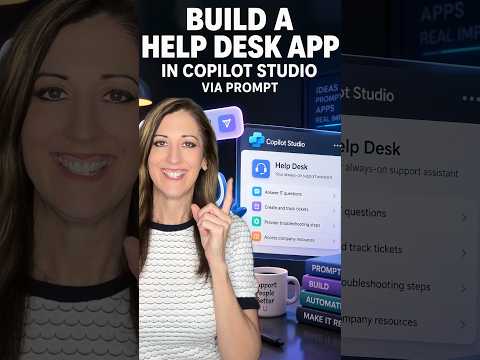
Copilot Studio adds natural-language app building
Laura Rogers highlights Copilot Studio app creation from a description, giving makers a conversational way to generate and refine a business app.
Key insights
- Makers describe an app's purpose, users, data, business rules, and actions.
- Copilot Studio can generate an interface, data model, business logic, and workflows.
- The generated app can be tested in an interactive preview and refined through further prompts.
- The capability is in public preview; availability may vary between environments.
- The research notes say Microsoft does not recommend the preview for production-critical apps.
Laura Rogers [MVP] recently published a 37-second YouTube Short titled “Build Your App in Copilot Studio Just by Describing What You Want.” The Short's supplied description and transcript contain no additional details, but the accompanying research describes a natural-language app-building experience in Copilot Studio. The key point for makers is that they can start with a business need, then test and refine an app generated from that description.
What's new
The described experience lets a maker tell Copilot Studio what a business application should do, who will use it, what data it needs, and which actions it should support. Copilot Studio can then generate an interface, data model, business logic, and workflows, according to the research notes. Rather than beginning with a blank canvas, the maker reviews an interactive preview and requests changes conversationally.
The notes give an equipment-request app as an example: managers submit and review requests, track status and employee details, and handle budget information and approval notifications. Copilot Studio may suggest an implementation approach or ask clarifying questions before generating the app. The feature is identified as a public preview, not a generally available production release.
Why it matters
For makers and business users, starting with a plain-language description could make it easier to shape an initial version of a departmental tool or approval process. The ability to revise the preview through follow-up requests also gives makers a way to refine requirements as they see the app take shape. This does not establish that every app can be built without technical work.
For admins, the relevant caveat is the preview status: the research says availability may differ between environments and that Microsoft does not recommend the capability for production-critical applications. The supplied material does not specify licensing requirements, tenant controls, or a rollout schedule, so teams should confirm those details in their own environment before planning a deployment.
How it works
- Open Copilot Studio and choose the App tile or Apps (Preview) area.
- Describe the problem, intended users, data, rules, and actions; attach files for extra context if needed.
- Respond to any clarifying questions and review the proposed approach or generated preview.
- Test the app and request changes in natural language. The research says makers can publish and share it when it meets their requirements.
Limitations and open questions
The video material provided for this article includes only a title, with no transcript of the demonstration. The workflow and preview details here come from the accompanying research notes, not from independently verifiable steps shown in the Short. Those notes do not establish licensing, supported data sources, technical limits, or which environments currently have access.
Public preview also means teams should treat the experience as subject to change. The supplied material does not explain production readiness beyond the warning against production-critical use. Makers should validate the generated app and confirm preview access and applicable requirements before relying on it.
Sources
Frequently asked questions
Can Copilot Studio create an app from a written description?
The research notes describe an experience that generates an app from a natural-language description, including its purpose, users, data, rules, and actions.
Can makers edit the generated app?
The notes say makers can test an interactive preview and request refinements conversationally. They do not detail the full range of supported edits.
Is the app-building capability ready for production?
It is described as a public preview, and the notes say Microsoft does not recommend it for production-critical applications.
What licensing does it require?
The supplied material does not state licensing requirements.